
App Store Screenshots (9)





Design Analysis
Visual Design
App Insights
About Dinosaur games - Kids game
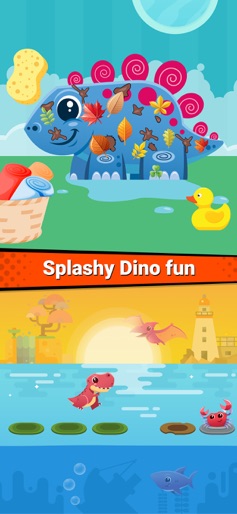
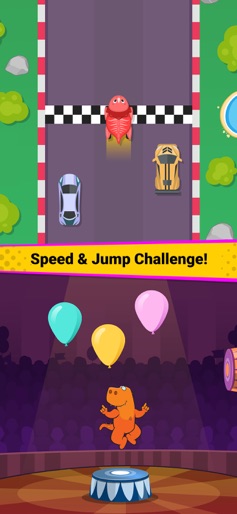
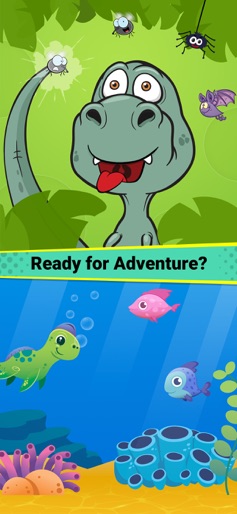
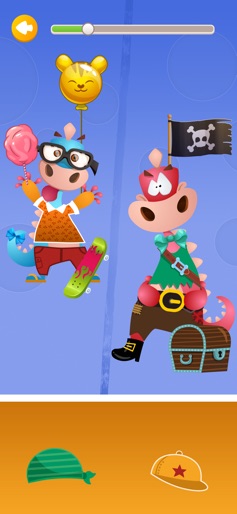
Welcome to the Dino adventure park, with all-in-one dinosaur themed baby games. These easy games will help your children explore different educational areas - develop logical thinking and reasoning skills with their favorite dinosaurs. The Paleontologist in your child will enjoy the classic graphics, funny animations, kids music, and realistic sounds. Run with the mighty T-Rex; fly with the Pterodactyl; and discover other dinosaurs with different unique features. The preschool children will learn skills as well, since all the free games are designed for improving the memory and attention span. Start a fascinating prehistoric adventure in this dinosaur museum, where cartoon dinosaurs come to life. 40 Dinosaur games: * Mosquito attack: mosquitos are bothering the Dino and you need to just swing the tail and hit the flying insect. * Classifying: sorting of the dinosaurs as to which ones fly and which ones stay on the land. * Dress Up: father and child needs to be dressed - learn how to distinguish between big and small, while helping them with their outfit. * Memory game: find the correct pair of baby Dino within the egg and clean up the field. * Shapes: learn the basic shapes by matching the Dino with the correct cave. * Hit-the-Mole: a recreation of the classic game with funny dinosaurs. * Colors: teach colors to the child, by sorting dinosaurs into the correct colored pipes. * Ball game: touch the Dino ball and make it jump to eat all fruits. * Matching game: match the dinosaur with the correct body part of the same Dino. * Feed the hungry Dino: he knows what he wants to eat, and you need to recognize the vegetable and feed him. * Dino Wash: use the soap to remove the dirt and then give the dinosaur a shower to make him clean again. * Carnival game: aim at the dinosaurs and throw the balls to hit them and collect more stars. * Mathematics: count the number dinosaurs and select the correct answer. * Run to catch: hurry up and move the dinosaur to collect all the falling fruits. * Racing game: race with your dinosaur car and avoid all the other vehicles to reach the finish line first. * Jumping game: jump like a rabbit and reach the end to meet the dinosaur friend safely, without falling into the water.
Create screenshots like Dinosaur games - Kids game
Use FlyerBanana's free editor to create professional App Store screenshots inspired by Dinosaur games - Kids game's design. 100+ templates, device frames, and one-click export.










