
App Store Screenshots (3)
Design Analysis
Visual Design
App Insights
About Easy Voice Recorder
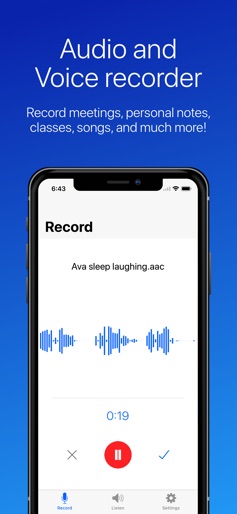
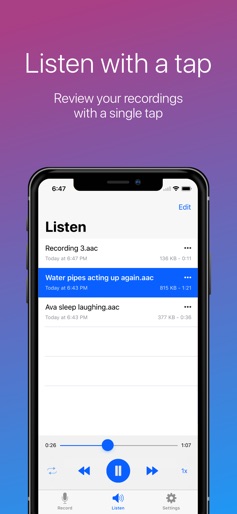
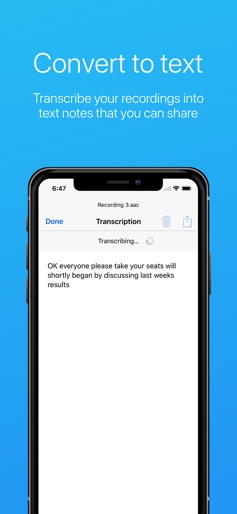
Easy Voice Recorder is your everyday companion to record and dictate important moments. Capture and transcribe meetings, personal notes, classes, songs, and much more! * Record in high-quality to PCM, MP4 or AAC and save to your device or iCloud Drive. * Convert your recordings to text with transcription. * Listen at high-speed to quickly review your recordings. * Share recordings and transcriptions easily through email or your favourite app. * Recorded too much? Cut and trim your recordings down to size. * Quickly start recording with our Home Screen and Lock Screen widgets. Easy Voice Recorder is exactly what the name says: an easy to use audio recorder and sound recorder. Reliable, fast and flexible, it adapts to your needs. Additional features on the iPad: * Record and multitask with support for Slide Over and Split View. * Drag and drop recordings with the Files app or other supporting apps. Additional upgrades: * Theme pack! Additional themes, including a beautiful dark theme for your iPhone X or any of your devices. * Unlimited transcriptions. Need help? If there are any problems, please contact us at support@digipom.com. We are always happy to assist you.
Create screenshots like Easy Voice Recorder
Use FlyerBanana's free editor to create professional App Store screenshots inspired by Easy Voice Recorder's design. 100+ templates, device frames, and one-click export.











