
Elevate - Brain Training Games
The Mind Company
Create Screenshots Like Elevate - Brain Training GamesApp Store Screenshots (8)



Design Analysis
Visual Design
App Insights
About Elevate - Brain Training Games
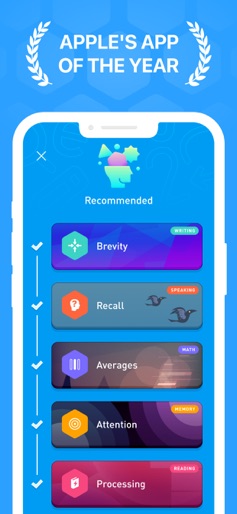
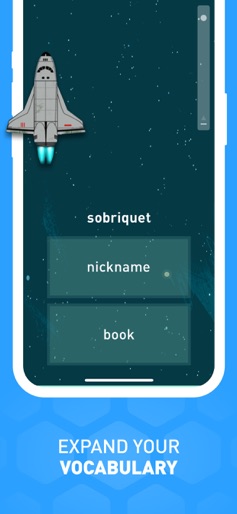
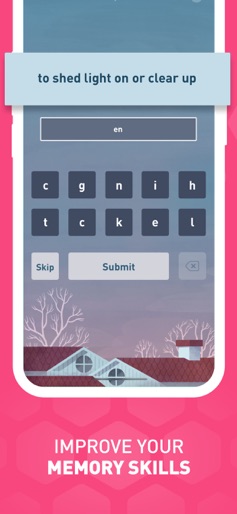
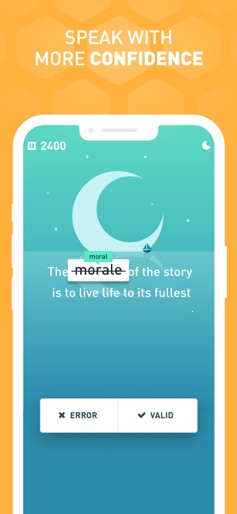
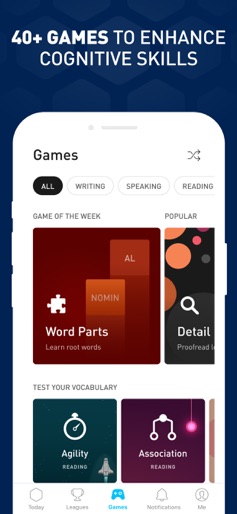
Start 2026 strong with personalized brain training. Improve your focus, memory, math, and communication skills with 40+ games and short daily workouts designed for you. Elevate is a brain training program designed to improve your mind’s focus, memory, speaking abilities, processing speed, math skills, and more. Each person is provided with a personalized training program that adjusts over time to maximize results. The more you train with Elevate, the more you’ll improve critical cognitive skills that are proven to boost productivity, earning power, and self-confidence. 90%+ report improved vocabulary, math skills, and overall mental sharpness when they frequently use Elevate. IN THE NEWS “Elevate comes out ahead” in the battle of the brain training apps. – CNET Elevate is a “cognitive pick-me-up” with games that are “good for mental breaks throughout the workday.” – Washington Post. FEATURES • 40+ Brain Training Games: Improve your critical cognitive skills like focus, memory, processing, math, precision, and comprehension with 40+ brain training games. • Performance Tracking: Track your progress and compare your mind’s performance over time with weekly reports and insights. • Personalized Workouts: Customize your daily training focus and choose between 3 and 5 games. Get personalized daily workouts that include the skills you need most. • Adaptive Progression: Train your brain with adaptive difficulty progression that ensures your experience is challenging. • Workout Calendar: Stay motivated by tracking your training streaks and keeping your mind active daily. • Elevate Dash on Apple Watch: Play 4 additional mini-games and review your performance on your Apple Watch with Elevate Dash. • And more! WHY YOU NEED ELEVATE • Express yourself more effectively in writing. Write with clarity, persuasiveness, and concision. • Improve your spelling and punctuation. Avoid common writing pitfalls. • Become a better reader. Read everyday materials faster and with greater understanding. • Expand your vocabulary. • Quickly and easily solve everyday math problems. Get better at comparing prices, splitting bills, and calculating discounts and markups. • Speak more effectively. Become more articulate and better at communicating tone and meaning. • Keep your mind engaged and challenged every day with short, effective exercises. RESEARCH BEHIND ELEVATE Elevate's games are designed in collaboration with experts in neuroscience and cognitive learning and are based on extensive scientific research. Elevate’s brain training algorithms further focus the learning experience by drawing from research in memory studies to develop a personalized training program for each member. ELEVATE SUBSCRIPTION TERMS Elevate offers a 7-day free trial as well as a basic free version. To access the free version, tap the X in the upper left-hand corner after you sign up for an account. If you choose to subscribe, you will be charged a yearly subscription fee according to your country. The subscription fee will be shown in the app before you complete the payment. Your subscription will automatically renew at the end of each subscription term, unless auto-renewal is turned off at least 24 hours before the end of the term. Subscription renewals cost the same as the original subscription, and your credit card will be charged through your iTunes account at confirmation of purchase. You may manage your subscription and turn off auto-renewal at any time after purchase by going to your iTunes Account Settings. Refunds will not be given for any unused portion of the term. For additional information, please read our Terms of Service (https://www.elevateapp.com/terms) and Privacy Policy (https://www.elevateapp.com/privacy).
Create screenshots like Elevate - Brain Training Games
Use FlyerBanana's free editor to create professional App Store screenshots inspired by Elevate - Brain Training Games's design. 100+ templates, device frames, and one-click export.










