

Forest: Focus for Productivity
SEEKRTECH CO., LTD.
Create Screenshots Like Forest: Focus for ProductivityApp Store Screenshots (8)


Design Analysis
Visual Design
App Insights
About Forest: Focus for Productivity
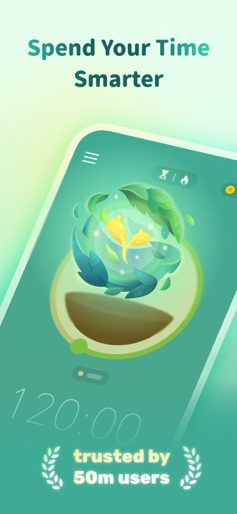
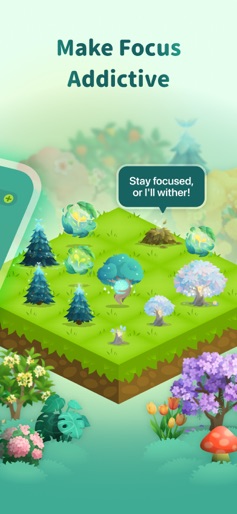
## Top productivity app in 136 countries. More than 2 million satisfied paying users. Featured in Apple's "Amazing Apps" TV commercial. ## Staying focused with the cutest gamified timer. ## Over 1,900,000 real trees were planted on Earth by our users. "Forest works well, and if your goal is to be more in the moment, ignore your phone and actually talk to your friends when you are with them, this is the app for you."— The New York Times "In order to establish new, better habits, it's helpful to engage with tools that make it easier to reinforce them. For anyone looking to curtail their phone usage, the Forest app might be for you."— Business Insider If you want to temporarily put down your phone and focus on what’s more important in real life, you can plant a seed in Forest. As time goes by, this seed will gradually grow into a tree. However, if you cannot resist the temptation of using your phone and leave the app, your tree will wither. The sense of achievement and responsibility will encourage you to stay away from your phone, and will help you make better use of your time. Stop getting distracted by your phone, make you self-motivated and get more things done. Stay focused, Be present! STAY FOCUSED • A interesting way to help you beat phone addiction and overcome distraction • Turn your focused moments into a lush forest. • Create personalized Allow Lists for different situations. Non-allowed apps will be blocked. (iOS 16 or above) GET MOTIVATED • Earn rewards and unlock more than 90 new tree species and white noises. • Share your forest and compete with friends and users around the world. • Plant trees along with friends & family. • Unlock achievements and earn extra rewards. • Plant real trees on Earth and protect the environment with tree-planting organization Trees for the Future. STATISTICS • Manage your own tags and view detailed statistics of your time distribution. • Browse your weekly, monthly and even your yearly big forest. • Track your focused time in the Apple Health App. • Track your daily phone usage and screen time. • Recall memories of your planting journey with our brand new Forest Timeline! It's never too late to build up productive habits! NOTICE • Forest is compatible with iPhone, iPad and Apple Watch, and can be used across these iOS devices with a one-time purchase. The full app with the aforementioned features is available on iPhone and iPad; on Apple Watch you can view live planting session and today’s focus stats. To download or unlock a non-iOS version, it requires a separate purchase. By logging into the same account, your data can be synchronized across all platforms. • Due to iOS limitations, the Allow List feature is only available on iOS/iPadOS 16 or above. If you’re using a device running iOS/iPadOS 15 or below, your tree will wither when you leave Forest during a planting session. • Due to budget constraint, the number of real trees each user can plant is limited to five. We will be introducing limited time events that will allow users to plant more real trees. Please follow our social media page or check the in-app announcement for more updates. • There is only one version of Forest on the App Store. Other apps that are similar and mimics Forest are not developed by the Forest team. Thank you for your support! SUBSCRIPTIONS & BILLING Forest offers free features for everyone, and you’re welcome to explore the Plus experience through a free trial. After the trial period (if available), your subscription will automatically renew unless canceled at least 24 hours before the current period ends. Payment will be charged to your Apple ID account. You can manage or cancel your subscription anytime in your Apple account settings. Deleting the app does not cancel your subscription. Privacy Policy: https://www.forestapp.cc/privacy/ Terms of Use: https://forest-subscription.seekrtech.com/terms/ We also provide browser extensions. Find out more on www.forestapp.cc
Create screenshots like Forest: Focus for Productivity
Use FlyerBanana's free editor to create professional App Store screenshots inspired by Forest: Focus for Productivity's design. 100+ templates, device frames, and one-click export.










