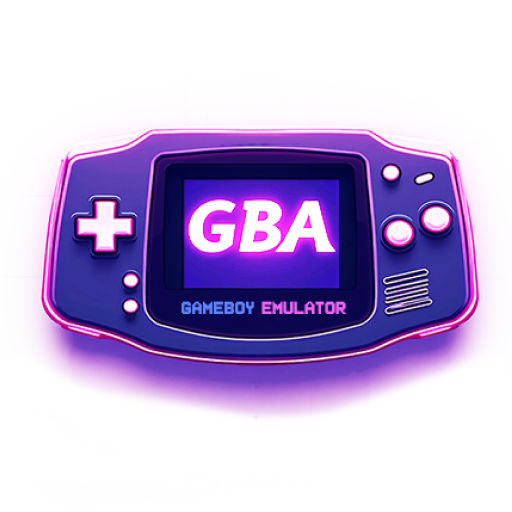
GBA Emulator: My Retro Gameboy
MILKY APPS CO.,LTD
Create Screenshots Like GBA Emulator: My Retro GameboyApp Store Screenshots (15)


Design Analysis
Visual Design
App Insights
About GBA Emulator: My Retro Gameboy
🎮 Unleash the Power of GBA - Relive the Glory Days of Retro Classic Gameboy Advance 🎮 Transform your phone into a retro heaven with our GBA emulator! This app unlocks a world of classic Gameboy Advance (GBA) and retro games, letting you play them anywhere, anytime. 👉 Get started with GBA fun in just a few steps: 1. Download your favorite GBA games: Find a trusted source for GBA ROMs (Note: Downloading ROMs is required, and separate instructions are needed due to legal restrictions). 2. Once the download is complete, the game will be saved in the download folder within the file manager application 3. Return to the GBA emulator app and touch the 'scan games' button to import games into the emulator 🎮GBA Emulator: Your Ultimate Retro Companion. This GBA emulator goes beyond just playing games. Here's what makes it stand out: 1. Blazing-fast GBA emulation: Experience smooth, high-speed performance for uninterrupted retro adventures. 2. High compatibility: Simulate 1000+ classic retro games from many popular websites 3. Friendly interface, easy to use & very high game compatibility. 4. Advanced GBA features: save state, load state, fast forward... 5. Highly customizable gamepad layout for a personalized GBA experience 6. Various gamepad themes to choose ⛔⚠️👋 Please note: This app does not include any games; you'll need to download them yourself. Detailed instructions on how to download games are provided within the app. This is simply an emulator app that support importing, emulating and playing games. ⛔External sites are provided within the app ⛔ - We do not manage these sites and are not associated with the images, content, documents, or file download from them. - We are not responsible for any problems, including copyright issues, that the users might have encountered with these websites. - Downloading content from these websites are at users’s own risk. We do not encourage or intend for any commercial use by users when accessing these sites. - We are not affiliated with any copyrights, contents, security or other violations of these websites. - We only support reading and writing ROM files to play. How our app is used is entirely up to users. ⚠️ Subscribed users have unlimited use of the Emulator and access to all of its Premium features, without any ads. ⚠️ Non-subscribed users can continuously use the app with advertisements, and have a limited daily quota for use of Premium features. Users can subscribe to 2 different plans: - Weekly trial subscription - 3 days free trial. After the trial period of 3 days has passed, you will be charged immediately and auto renew every week at 3.99 USD - Monthly subscription - auto renewing every month at 6.99 USD - Lifetime access to all premium features for a one-time payment of 29.99 USD. All updates and new features are received. Payment will be charged to your Google Account at confirmation of purchase. Subscriptions automatically renew unless auto-renew is disabled at least 24 hours before the end of the current period. Account will be charged for renewal within 24-hours prior to the end of the current period, and identify the cost of renewal. Any unused portion of a free trial period, if offered, will be forfeited when the user purchases a subscription to that publication, when applicable. Privacy Policy: https://milkyapps.org/privacy-policy Terms of use: https://milkyapps.org/terms-of-service Support: support@milkyapps.org
Create screenshots like GBA Emulator: My Retro Gameboy
Use FlyerBanana's free editor to create professional App Store screenshots inspired by GBA Emulator: My Retro Gameboy's design. 100+ templates, device frames, and one-click export.