

App Store Screenshots (6)



Design Analysis
Visual Design
App Insights
About GearUP: Lower Lag Game Booster
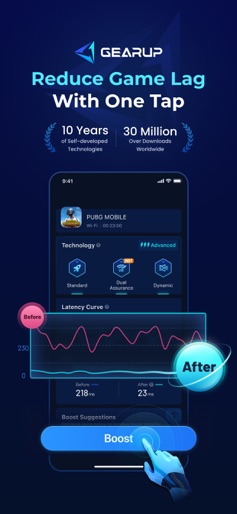
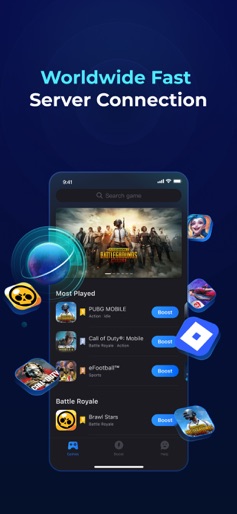
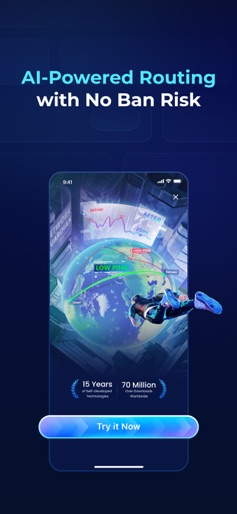
A game booster that actually works! Say goodbye to game latency, and reach your real gaming potential! GearUP is the ultimate gaming companion, accelerating and safeguarding your network. With our patented technology and specialized servers worldwide, we provide gamers around the world with lightning-fast, stable gaming connections. ► Maximum Performance A game booster that actually reduces game lag! We utilize real, patented server technology to set up a better network environment for your device. ► Minimal Requirements Our technology ensures that our game booster does not cause higher data usage, higher battery usage or overheating. Perfect for gaming on the go! ► Boost any Game You can boost popular MOBA games such as Brawl Stars and Mobile Legends, the most-played shooter games like Free Fire, PUBGM and CODM and many other games! We also support all Roblox minigames! ► Patented Technology We provide an exclusive path for you to connect directly to the game server! No need to compete with other gamers for the usual congested route, ensuring lower latency and hence lower ping. ► FPS Stability Optimization Delivers smoother and more stable visuals. With smart boosting technology, it helps stabilize FPS to keep your gameplay consistently smooth in every battle. ► Guaranteed Results With years of experience building network tools under our belt, we deliver results . We work closely with network service providers in each country to ensure we provide only the best routes to users around the world. ► Easy to use Never used a game accelerator before? Worry not! Select the game you wish to play, and click boost. As easy as just one click! ► Free Trial & Subscription Try before you buy with a free trial and flexible subscription options. If you’re enjoying a free trial, you will be charged on the last day of your free trial. Your subscription will renew automatically at the end of each billing cycle, unless canceled at least 24 hours before the expiration date. Easily manage your subscription and cancel anytime through your App Store account settings. Purchasing a subscription will result in the forfeiture of any unused portion of a free trial period, if applicable. You are welcome to read Subscription Terms here: https://mobile.booster.gearupportal.com/happ/statement/subscription
Create screenshots like GearUP: Lower Lag Game Booster
Use FlyerBanana's free editor to create professional App Store screenshots inspired by GearUP: Lower Lag Game Booster's design. 100+ templates, device frames, and one-click export.
More Gaming Apps
View all

Mods Addon Skins for Minecraft
Gaming


DraftKings Fantasy Sports
Gaming

FPS Commando Shooting Games
Gaming

Gaming Mode - Game Booster PRO
Gaming


Game Booster 4x Faster
Gaming

Game Booster: Game Turbo
Gaming