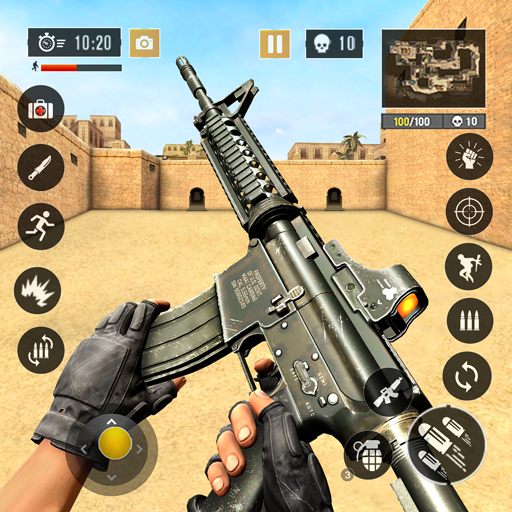
GFX Tool HDR graphics FPS unlocker for PUBG Mobile icon

GFX Tool HDR graphics FPS unlocker for PUBG Mobile

PA Mobile

Gaming
4.3(77 ratings)
Free
Create Screenshots Like GFX Tool HDR graphics FPS unlocker for PUBG Mobile

App Store Screenshots (9)

GFX Tool HDR graphics FPS unlocker for PUBG Mobile screenshot 1
GFX Tool HDR graphics FPS unlocker for PUBG Mobile screenshot 2
GFX Tool HDR graphics FPS unlocker for PUBG Mobile screenshot 3
GFX Tool HDR graphics FPS unlocker for PUBG Mobile screenshot 4
GFX Tool HDR graphics FPS unlocker for PUBG Mobile screenshot 5
GFX Tool HDR graphics FPS unlocker for PUBG Mobile screenshot 6
GFX Tool HDR graphics FPS unlocker for PUBG Mobile screenshot 7
GFX Tool HDR graphics FPS unlocker for PUBG Mobile screenshot 8
GFX Tool HDR graphics FPS unlocker for PUBG Mobile screenshot 9

Design Analysis

Visual Design

Style: Material Design

Colors:
accent
primary
secondary
Radio button groupsDropdown menusMaterial Design buttonsSlider controls

Key Features Shown

  • Game version selection
  • Resolution customization
  • FPS limit unlocker
  • Anti-aliasing toggle
  • Color style filters
  • Shadow control

App Insights

Target: Competitive mobile gamers using low-to-mid-range Android devices who want to achieve higher performance and better visuals in PUBG Mobile.

Monetization:
  • Mobile Advertising
  • Donations

ASO Keywords:

GFX ToolHDRgraphicsFPS unlockerPUBG Mobile

About GFX Tool HDR graphics FPS unlocker for PUBG Mobile

While playing Player Unknown's Battlegrounds (PUBG) for mobile, you will notice that some advanced options like HDR graphics or maximum FPS (60fps) will be greyed out and can't be selected. Using this tool you can unlock Ultra graphics with Extreme frame rate (60fps) and other thing like resolution, enable anti-alias, GPU optimization.. to have a better game experience. Have fun playing PUBG !!!

Create screenshots like GFX Tool HDR graphics FPS unlocker for PUBG Mobile

Use FlyerBanana's free editor to create professional App Store screenshots inspired by GFX Tool HDR graphics FPS unlocker for PUBG Mobile's design. 100+ templates, device frames, and one-click export.

More Gaming Apps

View all

Frequently Asked Questions

How can I create screenshots like GFX Tool HDR graphics FPS unlocker for PUBG Mobile?
You can create App Store screenshots inspired by GFX Tool HDR graphics FPS unlocker for PUBG Mobile using FlyerBanana's free screenshot editor. Choose from 100+ templates, customize colors, text, and device frames, then export in all required sizes.
What screenshot sizes does GFX Tool HDR graphics FPS unlocker for PUBG Mobile use?
GFX Tool HDR graphics FPS unlocker for PUBG Mobile uses standard App Store screenshot sizes including 6.7" (1290×2796px), 6.5" (1284×2778px), and 5.5" (1242×2208px) for iPhones. FlyerBanana supports all required sizes with one-click export.
Can I use GFX Tool HDR graphics FPS unlocker for PUBG Mobile's screenshot style for my app?
Yes! While you shouldn't copy screenshots directly, you can use GFX Tool HDR graphics FPS unlocker for PUBG Mobile's design patterns as inspiration. FlyerBanana's templates let you create professional screenshots with similar layouts, color schemes, and visual styles.
What makes good Gaming app screenshots?
The best Gaming app screenshots clearly showcase key features, use consistent branding, include compelling copy, and follow App Store guidelines. Browse our Gaming inspiration gallery to see what top apps do well.