

App Store Screenshots (10)


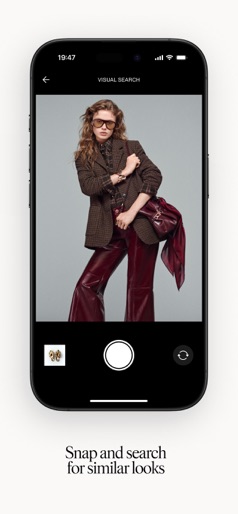
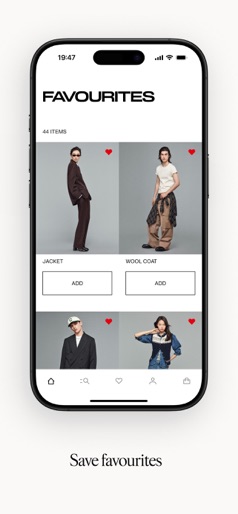


Design Analysis
Visual Design
Style: Custom
Key Features Shown
- •Editorial Style Feed
- •Category Navigation
- •Visual Search (Snap and Search)
- •Wishlist/Favorites Management
- •Barcode/Image Scanning
App Insights
Target: Value-conscious, fashion-forward consumers globally, ranging from Gen Z to young families looking for affordable apparel and home goods.
- •Direct sales of physical goods (Fashion, Home, Beauty)
- •Loyalty program (H&M Membership) for retention
ASO Keywords:
About H&M
Explore the latest styles in fashion, home and beauty with the H&M app. Discover inspiring collections and intuitive features that simplify the shopping experience — from instant search to real-time order updates. Features: Instant search: Quickly find any item with smarter results. Visual discovery: Snap or upload images for style suggestions. Save favourites: Build wishlists to shop and curate later. H&M Membership: Access points, perks and exclusive rewards. Track orders: Stay updated with real-time delivery information. Restock alerts: Find out first when favourites return. Seamless scanning: Scan in-store items to check sizes online. Experience a more streamlined way to shop — download the H&M app today.
Create screenshots like H&M
Use FlyerBanana's free editor to create professional App Store screenshots inspired by H&M's design. 100+ templates, device frames, and one-click export.
More Fashion Apps
View all

Nike: Shoes, Apparel, Stories
Fashion

SHEIN-Shopping Online
Fashion


adidas: Shop Shoes & Clothing
Fashion


Vinted: Shop & sell pre-loved
Fashion


True Religion | Since 2002
Fashion


Shining Me: Glow Idol Dress Up
Fashion