

App Store Screenshots (7)




Design Analysis
Visual Design
App Insights
About Keiki Learning games for Kids
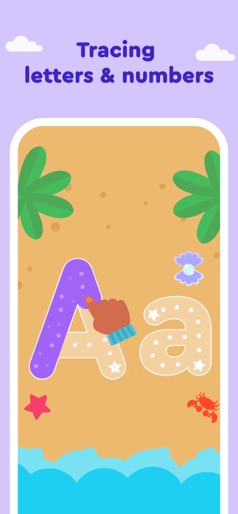
Welcome to Keiki World — the ultimate learning app for toddlers and kids aged 2-6+ that transforms playtime into powerful early learning experiences. Keiki World is 100% ad-free, kidSAFE Certified, and a Mom’s Choice Award winner. Approved by early-learning experts, Keiki World meets the specific developmental needs of toddlers and preschoolers — helping parents raise future-ready learners who master preschool basics while also developing creativity, problem-solving skills, and the confidence to figure things out. Flash cards, colorful worksheets, toddler games, interactive cartoons, and more essential activities for your little one. Trusted by families in more than 170 countries, Keiki World offers over 1,500 interactive activities and 500+ printables, developing vital skills, including: - ABC tracing & spelling - Speech & Communication - Counting ability - Color & shape recognition - Hand-eye coordination - Fine motor skills - Logical thinking - Problem solving - Creativity - Self-confidence and cooperation - Attentiveness & alertness Keiki World is 100% ad-free, kidSAFE Certified, and a Mom’s Choice Award winner. Keiki World Approach Daily consistent learning – Short, interactive sessions fit naturally into everyday family life, building steady progress and curiosity. Future-ready skills – Every game nurtures early academics, creativity, critical thinking, communication, and emotional intelligence to prepare kids for school and for life Screen-free practice – More than 500 printables, worksheets, and hands-on activities extend learning into real-world family moments. Expert-Crafted Expert-designed curriculum – Developed by educators and child-development specialists to support each stage of growth and confidence. Keiki World Interactive Activities Make your kid’s screen time fun and meaningful with games and activities like: - ABC Puzzles – Train letter recognition & phonics with drag-and-drop puzzles. - Trace Letters – Practice writing in a cosmic interface that builds focus and fine-motor skills. - Memory Cards – Find pairs and boost memory on topics from ABC to animals and colors. - Jigsaw Puzzles – Assemble images to learn shapes, imagination, and logical thinking. - Fill the Gaps – Match objects by shape and color to strengthen attention and logic. - Funny Kids Songs – Learn letters, numbers, animals, and phonics through music. Plus: Educational Cartoons, Sorting, Cooking — and even more! Worksheets & Offline Learning Over 500 printables and skill-based worksheets, organized by topic, provide more than 400 hours of purposeful learning. They include: Writing, Speech & Language, Math, Logic, Creativity, Dinosaurs, and Useful Tips for Parents. Each one is designed to nurture curiosity, independence, and a lifelong love of learning. Your child can learn colors, numbers, letters, animals, drawing, and much more — all in one app! Subscription Details - Once the free Keiki World trial period is over, users are automatically charged the price specified in the app. - Auto-renewal option can be managed in your iTunes Account Settings. You can cancel your subscription at any time, but please do so at least 24 hours before the end date of the current period. - Your ideas, opinions, and suggestions are welcome at support@keiki.app. Feel free to contact us if you need help with any app-related Privacy Policy: https://bit.ly/3EV70Xw Terms of Use: https://bit.ly/3ibVRrJ Sincerely yours, Keiki Team
Create screenshots like Keiki Learning games for Kids
Use FlyerBanana's free editor to create professional App Store screenshots inspired by Keiki Learning games for Kids's design. 100+ templates, device frames, and one-click export.










