App Store Screenshots (10)





Design Analysis
Visual Design
App Insights
About Kobo | eBooks & Audiobooks
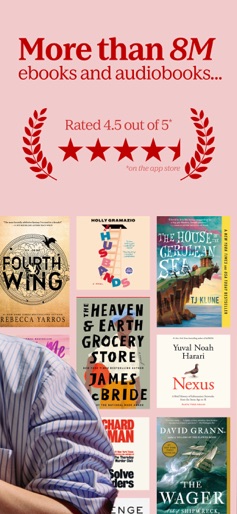
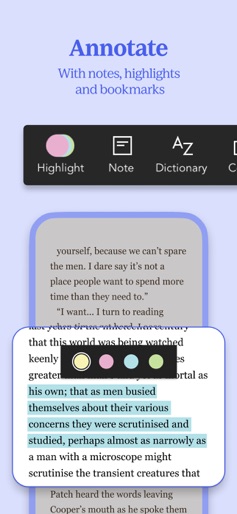
A whole new Kobo Books App experience is here: more modern design, smoother navigation, audio and reading upgrades, and easier access to the stories you love. Get ready for a whole new way to read eBooks your way! We've rebuilt the Kobo Books App from the ground up, focusing on what matters most: you and your love of the story, whether you read, listen, or are just dropping by. Dive into millions of eBooks and audiobooks, all tailored to your reading life. Customize, sync, scroll seamlessly, and discover stories that stay with you, all in one powerful app. Rediscover the joy of reading your way Kobo seamlessly blends eBooks, audiobooks, and intuitive tools into your daily rhythm. From cozy nights to busy commutes, we keep your place, your pace, and your story alive. Read and listen seamlessly Customize fonts, enjoy Night Mode, set a sleep timer for audio playback, and experience natural-sounding text-to-speech for hands-free reading! Read Aloud available on select eBooks only. Explore before you dive in Our Guest Mode lets you browse books, save previews, and discover your next favourite read, all without any Kobo account required. Pick up where you left off Your bookmarks, highlights, and notes sync automatically across phone, tablet, Kobo eReader, or Kobo Web Reader, so your story always stays with you. Designed for real life From road trips with CarPlay to daily routines with our new Listen Bar, Kobo fits seamlessly into your day. Read in 13 languages including English, French, Spanish, German, Portuguese, Italian, Dutch, Turkish, and more. Why Kobo? Whether you’re into bestsellers, romance, thrillers, self-development, or audiobooks for your next run, Kobo’s intuitive app helps you rediscover the joy of storytelling. Download the Kobo Books App and fall in love with reading all over again. Explore, highlight, review, read and listen your way, with full support for iOS accessibility features.
Create screenshots like Kobo | eBooks & Audiobooks
Use FlyerBanana's free editor to create professional App Store screenshots inspired by Kobo | eBooks & Audiobooks's design. 100+ templates, device frames, and one-click export.