

Learn Languages - Lucida AI
Lucida AI Teknoloji Anonim Sirketi
Create Screenshots Like Learn Languages - Lucida AIApp Store Screenshots (7)



Design Analysis
Visual Design
App Insights
About Learn Languages - Lucida AI
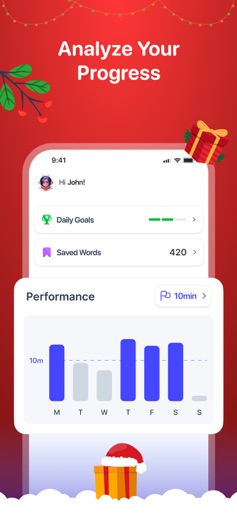
Lucida AI: Revolutionize Your Language Learning With Lucy, you're not just practicing a language—you're mastering it. Lucida AI brings lifelike voice interactions, personalized lessons, and cutting-edge AI to help you speak confidently in any language—all in just 10 minutes a day. Why Choose Lucida AI? 300+ Vocabulary Levels Expand your vocabulary with engaging and challenging games for any language. Real-Time Conversations Speak with Lucy, your lifelike AI partner, for adaptive and interactive discussions tailored to your learning level. 150+ Dynamic Topics Explore topics like exam prep, travel, business, culture, and more. Hands-Free Learning Just speak—Lucy listens, guides, and gives feedback instantly for real-world fluency. Progress Tracking Monitor your daily, weekly, and monthly improvements with detailed reports. Interactive Video Chats Practice through immersive video chats with lifelike avatars for a natural learning experience. Key Features: 300+ vocabulary levels for continuous growth. 10-minute sessions perfect for busy learners. Real-time feedback to improve pronunciation and fluency. Interactive role-playing for real-world conversations. Track progress and stay motivated with AI-driven insights. Update Now: Enjoy new features like vocabulary games, role-playing scenarios, and real-world conversation practice. Terms of Use: https://www.apple.com/legal/internet-services/itunes/dev/stdeula/ Privacy Policy: https://www.getlucida.com/terms-and-conditions#Term-and-Conditions
Create screenshots like Learn Languages - Lucida AI
Use FlyerBanana's free editor to create professional App Store screenshots inspired by Learn Languages - Lucida AI's design. 100+ templates, device frames, and one-click export.










