LingoTok - AI Language Tutor icon

LingoTok - AI Language Tutor

Zero Billion, Inc.

Education
4.5(6.5K ratings)
Free
Create Screenshots Like LingoTok - AI Language Tutor

App Store Screenshots (3)
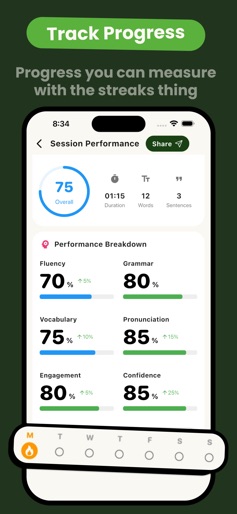
LingoTok - AI Language Tutor screenshot 1
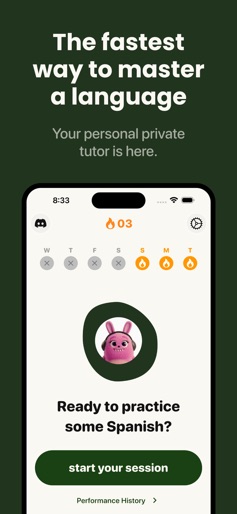
LingoTok - AI Language Tutor screenshot 2
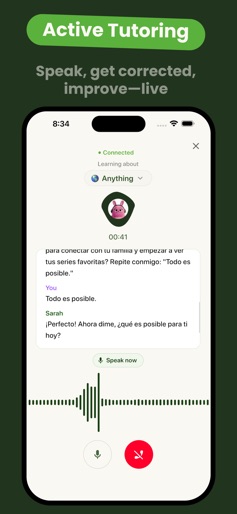
LingoTok - AI Language Tutor screenshot 3

Design Analysis

Visual Design

App Insights

About LingoTok - AI Language Tutor

master a new language in the fastest way possible with live tutor calls Learn a new language with the world’s fastest language learning app! Get a private language tutor that goes through all your language lessons with you. Ask Anything. Learn Everything. Whether it’s a tough concept, a detailed lesson, or a quick clarification, LingoTok adapts to your pace. Interactive Voice Calls! • $29.99/week – UNLIMITED per week or • $49.99/quarter - UNLIMITED per week Enjoy real‑time, voice‑based tutoring and full premium support. Contact us: support@zerobillion.ai Learn more: Privacy Policy and Terms of Service (EULA) – https://zerobillion.notion.site/Terms-Of-Service-14d353ad884580e7baadf9694d2c1a06 Unlock smarter learning today!

Create screenshots like LingoTok - AI Language Tutor

Use FlyerBanana's free editor to create professional App Store screenshots inspired by LingoTok - AI Language Tutor's design. 100+ templates, device frames, and one-click export.


More Education Apps

View all

Frequently Asked Questions

How can I create screenshots like LingoTok - AI Language Tutor?
You can create App Store screenshots inspired by LingoTok - AI Language Tutor using FlyerBanana's free screenshot editor. Choose from 100+ templates, customize colors, text, and device frames, then export in all required sizes.
What screenshot sizes does LingoTok - AI Language Tutor use?
LingoTok - AI Language Tutor uses standard App Store screenshot sizes including 6.7" (1290×2796px), 6.5" (1284×2778px), and 5.5" (1242×2208px) for iPhones. FlyerBanana supports all required sizes with one-click export.
Can I use LingoTok - AI Language Tutor's screenshot style for my app?
Yes! While you shouldn't copy screenshots directly, you can use LingoTok - AI Language Tutor's design patterns as inspiration. FlyerBanana's templates let you create professional screenshots with similar layouts, color schemes, and visual styles.
What makes good Education app screenshots?
The best Education app screenshots clearly showcase key features, use consistent branding, include compelling copy, and follow App Store guidelines. Browse our Education inspiration gallery to see what top apps do well.