

App Store Screenshots (10)


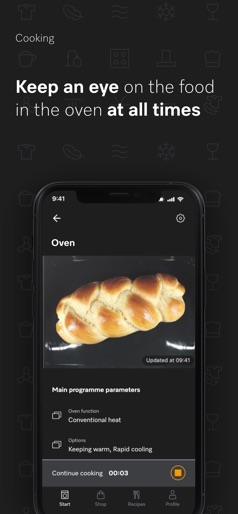
Design Analysis
Visual Design
Style: Custom
Key Features Shown
- •Remote Appliance Status
- •Sustainability Dashboard
- •Push Notifications
- •Energy/Water Consumption Reports
- •Appliance List/Management
App Insights
Target: High-net-worth homeowners and tech-integrated households who prioritize premium German engineering and domestic automation.
- •Hardware-tethered utility
- •In-app marketplace for consumables
- •Customer retention/Brand loyalty
ASO Keywords:
About Miele app – Smart Home
Your perfect companion: The Miele app gives you mobile control of your Miele domestic appliances and lets you keep track of everything – whether you are traveling or at home. Miele app highlights: • Mobile control of domestic appliances: operate your domestic appliances conveniently via the app. This means you can access your washing machine, dishwasher, or oven at any time and select the program, the start pre-selection or other options, for example. • Request the appliance status: can I add more laundry? How long does the program have left to run? With the app, you can keep an eye on your appliances at all times. • Receive notifications: If you activate notifications, the app will inform you when your dishwashing program has finished or when your laundry is ready. • Transparent usage and consumption data: Get information about your personal water and electricity consumption, as well as tips on using your appliances more sustainably. • Achieve perfect results: Smart assistance systems will help you to select the right washing/dishwashing program or make the perfect cup of coffee. • Smart support for your appliances: Resolve problems quickly on your own. The Miele app will show you appliance faults as well as the most common causes of faults, including step-by-step troubleshooting instructions. • Miele in-app shop: Find the right cleaning products and accessories for your Miele appliances quickly and easily in the Miele app and order with just a few taps. Download the Miele app now and discover the added value of a networked home. RemoteUpdate – always up to date Want to keep the effort of maintaining up-to-date networked domestic appliances to a minimum? No problem, thanks to our RemoteUpdate function. Software updates appear automatically when they are available and can be installed if desired. Consumption Dashboard – transparent usage and consumption data Keep an eye on your water and energy consumption at all times. The Consumption Dashboard shows your consumption values after every program cycle, provides tips on how to use your dishwasher and washing machine more sustainably, and gives you an individual monthly report. Get to know your appliances better and look after your wallet and the environment at the same time. Washing assistant – achieve perfect wash results Can you achieve perfect cleaning results without being a laundry expert? No problem with the Miele app! The washing assistant in the Miele app will give you advice and help you find the perfect program for your laundry. You can start the recommended program straight from the Miele app. Recipes – discover culinary worlds The Miele app turns cooking into a journey of culinary discovery. Find inspiration for delicious, sustainable recipes so you can cook and bake for any occasion. CookAssist – the secret to perfect roasting results Miele CookAssist not only helps you to cook the perfect steak, it is also available for a wide range of other dishes. Thanks to the step-by-step instructions in the Miele app, temperatures and cooking durations are automatically transferred to the TempControl cooktop. All you need to do is confirm the settings. Download the Miele app now and enjoy the full Miele experience. Demonstration mode – try out the Miele app even without any Miele domestic appliances The demonstration mode in the Miele app provides a first impression of the range of possibilities for this app even if you do not yet have any network-enabled Miele domestic appliances. Important information for use: This is a separate digital offer from Miele & Cie. KG. The range of functions can vary depending on the model and the country. Acceptance of the Terms and Conditions and Privacy Policy for Miele digital products & services in the Miele app required. Miele reserves the right to change or discontinue the digital offer at any time.
Create screenshots like Miele app – Smart Home
Use FlyerBanana's free editor to create professional App Store screenshots inspired by Miele app – Smart Home's design. 100+ templates, device frames, and one-click export.











