

App Store Screenshots (24)






Design Analysis
Visual Design
App Insights
About Money+ Cute Expense Tracker
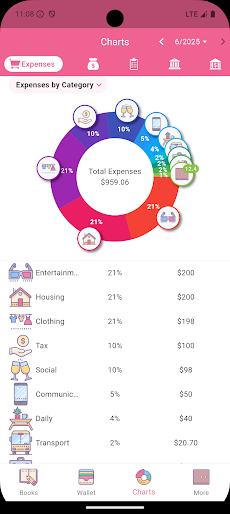
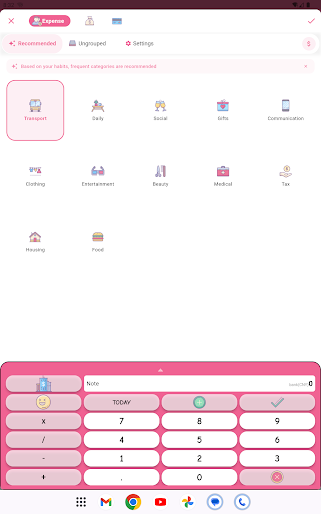
【Inspiration and Ideas】 We believe that true tools are "simple and practical," capable of solving problems effectively and reliably. They should not be limited by internet or location, and should run stably even in signal-free mountains or ships on the high seas. In an era when online applications flourish, we insist on launching this offline accounting software to let tools return to their essence, free from environmental dependencies, and provide only a pure, reliable accounting experience. 【Product Features】 Local Storage: Your data is in your hands, safe and worry-free (if you choose to create a Google Drive backup, backup files will be uploaded to your Google Drive space) Lightning-fast Accounting: Simplified workflows with built-in addition, subtraction, multiplication, and division input methods to make every transaction record faster and more efficient. Multi-dimensional Account Books: Life, work, travel, children's funds... Create independent account books for each specific scenario with clear records. Flexible Accounts: Cash, credit cards, virtual accounts... Comprehensive support for detailed management of your every fund. Personalized Members: Whether personal expenses or family members' (spouse, children, parents) expenses, all can be clearly categorized. Global Currencies: Support for major international currencies with convenient exchange rate management and conversion. Budget Master: Flexible budget setting, real-time expense tracking, helping you efficiently control finances and avoid overspending. Deep Income-Expense Analysis: Provides detailed income-expense reports for specified date ranges. Where every cent goes, what it's used for, which account it comes from, all clearly presented. Asset Trend Insights: Intuitive display of asset and net asset fluctuations and growth within specific time periods. Inter-account Transfers: Simulates real money flows, showing attention to detail. Dream Savings: Set and track your savings goals, helping you gradually achieve your life goals. Pure Experience: No advertising interruptions, focus on accounting itself. 【Automatic Subscription Instructions】 1. Subscription Mode: This application provides monthly or annual automatic renewal subscription services. 2. Subscription Fees: Specific prices and promotional activities are based on the subscription page displayed in the application. Price adjustments will take effect in your next billing cycle. 3. Automatic Renewal and Cancellation: If you do not intend to continue your subscription, be sure to manually turn off automatic renewal at least 24 hours before the end of the current billing cycle to avoid automatic renewal. 4. Free Trial and Refund: If there is a free trial period, it will automatically convert to a paid subscription and charge after the trial period ends. Be sure to cancel the subscription before the trial period ends to avoid charges. Current subscription cycle fees are usually non-refundable. 5. How to Manage Subscriptions: You can manage your subscriptions through the "Subscriptions" page in Google Play Store or refer to relevant guidance within the application. 【Terms】 Terms of Use: https://www.zotiger.com/terms-of-use-android-en Privacy Policy: https://www.zotiger.com/zotiger-accountbook-privacy-en 【Contact Information】 Email: service@zotiger.com
Create screenshots like Money+ Cute Expense Tracker
Use FlyerBanana's free editor to create professional App Store screenshots inspired by Money+ Cute Expense Tracker's design. 100+ templates, device frames, and one-click export.
More Finance Apps
View all

Zillow Real Estate & Rentals
Finance


Bank of America Mobile Banking
Finance


Robinhood: Trading & Investing
Finance


GEICO Mobile - Car Insurance
Finance


Branch: Instant Loan & Banking
Finance


FanDuel Sportsbook & Casino
Finance