
App Store Screenshots (6)



Design Analysis
Visual Design
App Insights
About Plant Identification-Plantaria
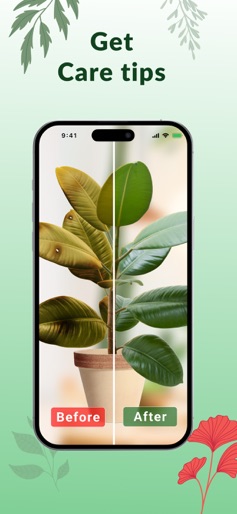
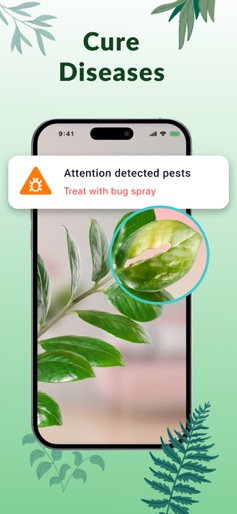
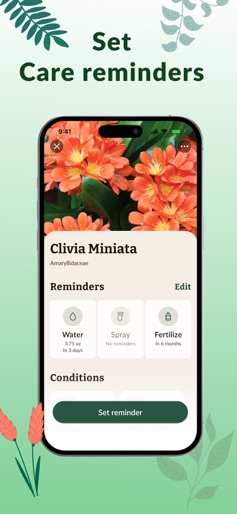
Plantaria makes identifying plants easier than ever! Discover flowers and nature in a brand new way! Have you ever wished to know more about plants around you without having to spend hours reading catalogs and Wikipedia? How about obtaining a know-it-all assistant who is always there to give you the information you need? That's exactly what Plantaria is for! Discover a unique world of plants and become a plant recognition expert by using an easy and intuitive step-by-step process. All it takes is focusing your phone camera on a flower, bush or tree and snapping a picture. The plant identifier app will identify the plant and provide you with detailed info about it. Advanced features of Plantaria: - 10 000+ plants database with 95% identification accuracy guaranteed - Plant identification from both saved photos and freshly snapped pictures - Detailed description for every plant - Search history to ensure that each plant search is stored in the app - Beautiful and intuitive interface Plantaria is a unique mix of the latest technology and nature admiration. It will fill all your knowledge gaps in gardening and make every trip more fun and unforgettable as you will keep a record of all the exotic and unknown plants you come across. Give it a try and start your plant identification journey today. Becoming a plant expert is as easy as the app download! ============================================================================ *Subscription Information: 1 Week Subscription (3 days FREE TRIAL) Lifetime Subscription * Subscription with a free trial period will automatically renew to a paid subscription. * Please note: any unused portion of a free trial period (if offered) will be forfeited when you purchase a premium subscription during the free trial period. * You can cancel a free trial or subscription anytime canceling your subscription through your iTunes account settings. This must be done 24 hours before the end of a free trial or subscription period to avoid being charged. The cancellation will take effect the day after the last day of the current subscription period, and you will be downgraded to the free service. Additional Subscription Information: – Payment will be charged to your iTunes Account at confirmation of purchase – Your subscription will automatically renew unless auto-renew is turned off at least 24-hours before the end of the current period – Your account will be charged for renewal within 24-hours before the end of the current period and the cost will be identified. – Subscriptions may be managed by the user and auto-renewal may be turned off by going to the user's Account Settings after purchase https://plantaria.app/license-agreement/ https://plantaria.app/terms-of-use/ https://plantaria.app/privacy-policy/
Create screenshots like Plant Identification-Plantaria
Use FlyerBanana's free editor to create professional App Store screenshots inspired by Plant Identification-Plantaria's design. 100+ templates, device frames, and one-click export.










