

RFS - Real Flight Simulator
RORTOS
App Store Screenshots (7)



Design Analysis
Visual Design
App Insights
About RFS - Real Flight Simulator
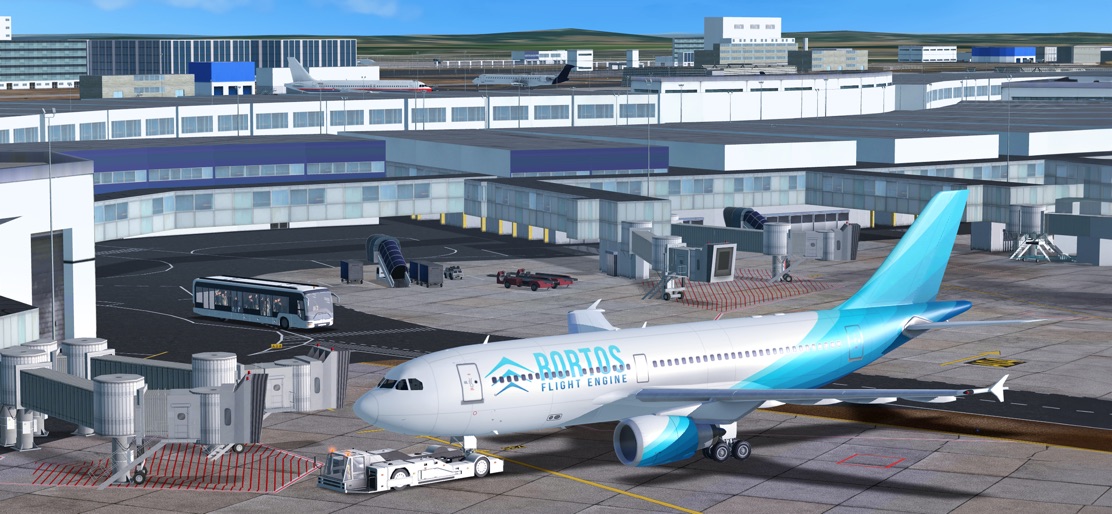
*** Special discounted Price! *** Experience the World of Aviation on Your Mobile Device! Immerse yourself in the captivating world of aviation where cutting edge technology allows you to experience the thrill and challenges of piloting an aircraft from the comfort of your mobile device. Fly Now, Anywhere in the World! Learn to take off, land, and complete full flights. Explore iconic aircraft with 3D live cockpits, visit 30 HD airports, and take off and land from 500 SD airports. Personalize instruments, use automatic flight plans, and experience the finest detail worldwide. Try our tutorials to master your skills! Manual/Tutorial: wiki.realflightsimulator.org/wiki Do you want to unlock all Real Flight Simulator features? Choose the subscription that fits your needs between our monthly, six month or yearly subscription! Then just Buckle Up and Become a Real Pilot! You will enjoy: -60+ airplane models with detailed 3D cockpits, working parts, and lights. Experience real-life pilot systems and instruments. New models coming soon! -1900+ HD airports with 3D buildings, vehicles, taxiways, and procedures. More on the way! -Real-time flights with real-time weather. 40k real-time flights daily and real-time traffic at major global airports. -Detailed checklists for takeoff and landing to immerse yourself in the pilot's experience. -Access various ground systems upon landing, including passenger vehicles, refueling, emergency services and follow me car. -Customization of flight’s weather, failures and much more with the Advanced Flight Plan. Share your plan with colleagues for a connected experience. -Autopilot activation for multitasking, and Automatic Landing System for long-haul flights. -Realistic satellite terrains and precise height maps to explore the world. Engage with a Global Community in Multiplayer Mode -Join hundreds of other pilots and fly together in any part of the world. -Chat with fellow multiplayer pilots, participate in weekly community events, and join virtual airlines to become the VA with the highest Flight Points. ATC Mode: Become an Air Traffic Controller -Air Traffic Control (ATC) game mode: Organize aircraft traffic, give instructions, and guide pilots to fly safely and efficiently. -Enjoy interactive multi-voice ATC procedures and communications, and explore all the frequencies available in RFS. Create and Share Your Aviation Passion -Design your own airplane liveries and share them with players around the world. -Model your favorite HD airport, and watch as other pilots take off from it. -Become a plane spotter. Explore various in-game cameras to capture your favorite planes. Experience the romance of city lights as you soar through nighttime skies, and be captivated by the ethereal play of light and clouds during sunrise and sunset. Share your aviation masterpieces on our official social media channels. -Join the growing Real Flight Simulator community, discover new flight routes, and interact with an ever-expanding group of aviation enthusiasts. Internet Connection Required to provide the full scope of aviation experiences. Get Ready to Soar the Skies. Buckle up, get ready, and become a Real Pilot in RFS! TERMS OF USE: https://www.rortos.com/terms-of-use/ Support: rfs@rortos.com
Create screenshots like RFS - Real Flight Simulator
Use FlyerBanana's free editor to create professional App Store screenshots inspired by RFS - Real Flight Simulator's design. 100+ templates, device frames, and one-click export.










