
Scanner Pro・Scan PDF Documents
Readdle Technologies Limited
Create Screenshots Like Scanner Pro・Scan PDF DocumentsApp Store Screenshots (8)




Design Analysis
Visual Design
App Insights
About Scanner Pro・Scan PDF Documents
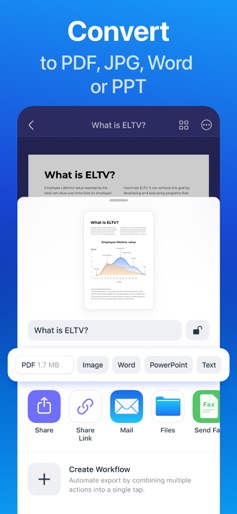
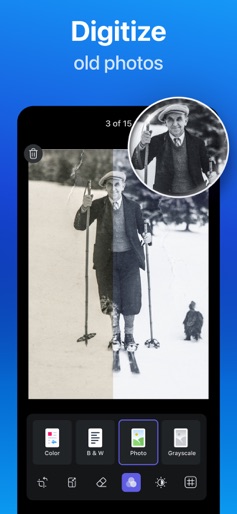
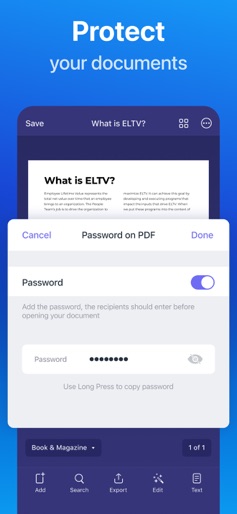
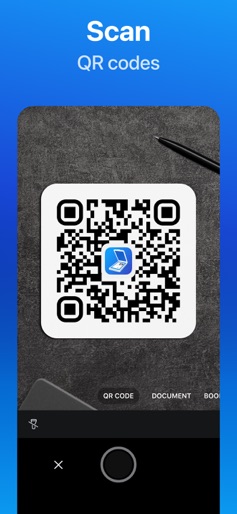
Effortlessly scan, organize, and share documents on the go to have everything you need at your fingertips. Scanner Pro brings you high-quality document scan technology in a convenient and simple mobile app. Scan agreements, receipts, IDs, books, and more using your device to convert them into PDFs in seconds. Safely store and share your documents with anyone in just a few taps with Scanner Pro. Experience the simplicity of on-the-go document scanning. Scan travel expenses, convert sketches into PDFs, and even fax important files all from your smartphone. Scanner Pro brings professional scanner capabilities, like OCR and full-text searches to your device. With advanced image processing, Scanner Pro will automatically detect borders, correct perspective and distortions, remove shadows, and more. Introducing QR Code Mode! Effortlessly scan and decode QR codes directly from your Camera screen. Simply point your device at the code, capture it, and let Scanner Pro do the rest—no extra steps required! It's that easy. Share, email, and upload your scans anywhere with cloud compatibility. With Scanner Pro you can share as many scans as you want completely free. Simply send an email, upload to your photos, or use any third-party application to conveniently deliver scanned documents. What people have to say: "I will confess to some serious love for Scanner Pro." – Rick Broida, CNET "Scanner Pro is an excellent app for those who’d like to digitize and organize their paper worlds." – Marc Saltzman, USA Today "There really isn’t a better scanner app for iPhone than Scanner Pro." – Matthew Panzarino, TNW Enjoy professional scans and convenient document sharing completely free of charge with Scanner Pro. Download today for a quick and easy mobile scanner that does it all. SCANNER PRO FEATURES SCANNING FEATURES - Scan documents, pictures, and more wherever you are - Unlike other apps, Scanner Pro saves the original document that you scanned - Conveniently edit your scans by highlighting, writing, and drawing on your documents SMART DOCUMENT ORGANIZER - Automate your workflow when you rename, send, and upload scans in just one tap - Effortlessly create folders to find any important document in seconds FULL-TEXT SEARCH - OCR and full-text search let you highlight important sections of your scans with ease - Turn your scans into text, so you can read, copy, and export it to other apps SHARE SCANS - Scan a document on your iPhone or iPad and access it on all your other devices with iCloud sync - Automatically export and upload scans to Dropbox, Evernote, Google Drive, Box, iCloud Drive, OneDrive, OneNote, or any other WebDAV-enabled storage - Share unlimited files with your contacts for free Scanner Pro supports 25+ languages: Catalan, Croatian, Simplified Chinese, Traditional Chinese, Czech, Danish, Dutch, English, Estonian, Finnish, French, German, Greek, Hungarian, Italian, Japanese, Latin, Norwegian, Polish, Portuguese, Romanian, Russian, Spanish, Swedish, Tagalog, Turkish and Ukrainian. Download Scanner Pro today for a quick and compact way to professionally scan, organize, and share documents wherever you are, whenever you want. Share your feedback and comments at http://readdle.com/contact Privacy Policy: https://readdle.com/scannerpro/legal/privacy Terms of Service: https://readdle.com/scannerpro/legal/terms
Create screenshots like Scanner Pro・Scan PDF Documents
Use FlyerBanana's free editor to create professional App Store screenshots inspired by Scanner Pro・Scan PDF Documents's design. 100+ templates, device frames, and one-click export.











