
App Store Screenshots (8)


Design Analysis
Visual Design
App Insights
About Smart Printer App & Scan
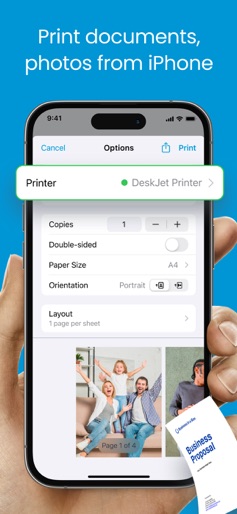
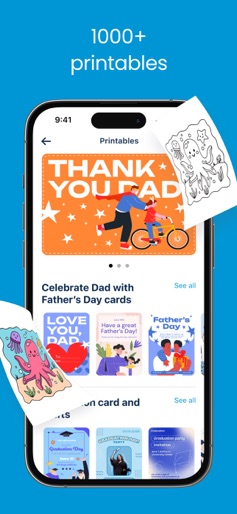
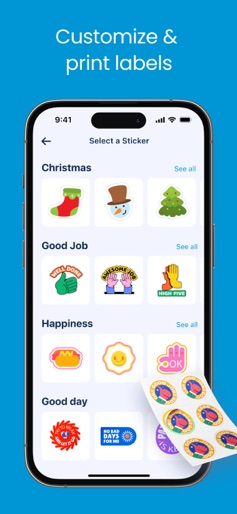
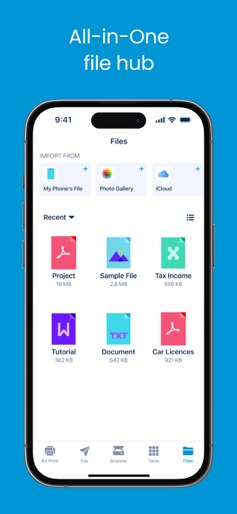
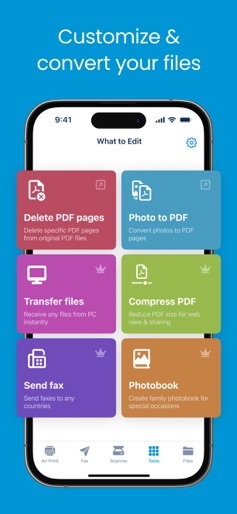
Print, scan, fax, create printables & stickers, manage files, and convert to PDF. Supports 7,500 models from a wide range of printer manufacturers and brands. Smart Printer App & Scan helps you print photos & documents without installing printer drivers. It supports 7,500 models from a wide range of printer manufacturers / brands. Multi-function Printer on your phone include key features: PRINT FROM IPHONE/IPAD WITH SMART PRINTER APP > Print photos and documents > Print multiple photos on same sheet > Print photo as a poster > Print emails, webpages > Print printables: greetings cards, coloring pages, kid learning worksheets, productivity sheets, paper crafts > Print labels: custom & print labels > Print calendar: custom & print calendar > Print quizzes: choose knowledge topics & print quizzes SCAN DOCUMENTS > Scan, edit and print documents > Share documents via email, Airdrop or messaging apps OFFICE TOOLS > Convert photos to PDF > Delete PDF pages > Compress PDF > Transfer files from PC to iPhone & iPad SEND FAXES GLOBALLY > Scan & send faxes > Receive notifications of delivery status > Fax with encrypted connection SHARE PRINTER ACCESS > Allow other members to print documents on your printer > Join a group to print documents on a shared printer Product, logos and brand names are for identification purpose only and do not indicate endorsement of or affiliation with our application. Information about the auto-renewal of subscription: Payment will be charged to iTunes Account at confirmation of purchase. Subscription automatically renews unless auto-renew is turned off at least 24-hours before the end of the current period. Account will be charged for renewal within 24-hours prior to the end of the current period, and identify the cost of the renewal. The cost depends on the selected plan. Subscriptions may be managed by the user and auto-renewal may be turned off by going to the user's Account Settings after purchase. Any unused portion of the free trial will be forfeited when the user purchases a subscription. Privacy Policy: https://kainsuite.com/privacy-policy/ Terms of Use: https://kainsuite.com/terms-conditions/
Create screenshots like Smart Printer App & Scan
Use FlyerBanana's free editor to create professional App Store screenshots inspired by Smart Printer App & Scan's design. 100+ templates, device frames, and one-click export.











