

App Store Screenshots (7)


Design Analysis
Visual Design
App Insights
About Studley AI - Get better grades
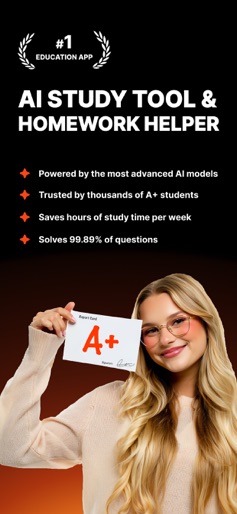
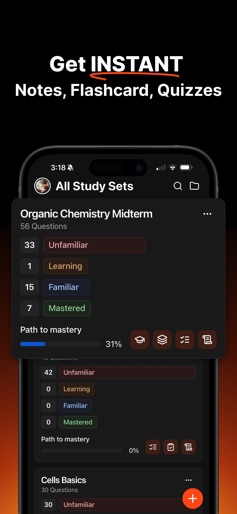
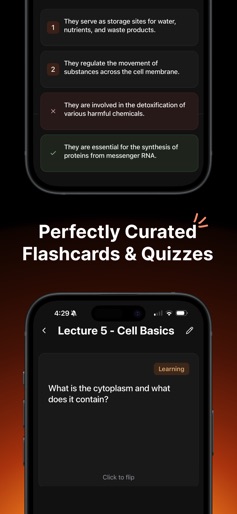
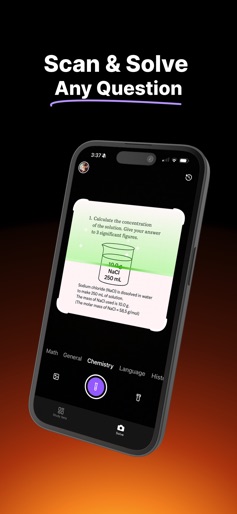
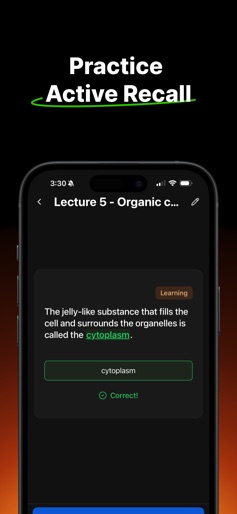
Studley AI – The AI Study Tool That Gets You Straight A’s Forget boring flashcards and endless Google searches. Studley AI is your personal AI homework helper, AI note taker, and AI tutor. Built for students who want insane results. Whether you’re trying to keep a 4.0 GPA or just trying to pass with less stress, Studley is the smartest way to study. Turn anything into a Study Set: Upload your lecture slides, textbook chapter, YouTube video, PDF, or even an article link, and Studley instantly turns it into a fully editable Study Set. A Study Set can include: - Flashcards (perfect for memorization) - Multiple-choice quizzes (test your recall fast) - Fill-in-the-blanks (strengthen active recall) - Written tests (practice full answers) - Tutor mode (AI explains concepts like a personal teacher) Every question is automatically tagged (e.g., unfamiliar, learning, familiar, mastered) so you can track progress in real time. You’ll literally see your weak spots disappear as you move questions into higher mastery levels. Progress tracking that actually works: Our system uses Active Recall and spaced repetition to make sure you remember what you learn long term. No more rereading notes 10 times. Studley forces your brain to work with memory science, not against it. You’ll walk into every exam feeling like you’ve already taken it. The Solve Tab – Instant Answers, Step-by-Step: Got a tough homework problem or confusing question? Just take a pic in the Solve tab, and Studley’s AI gives you step-by-step explanations. Not just the answer. This is your 24/7 tutor that never judges you for asking “dumb” questions. Why Studley AI beats Quizlet (and everything else): - Smarter AI – You’re not stuck with generic flashcards; every question is made from your content. - Tagging system – Quizlet can’t show you exactly which questions you’ve mastered vs. which still trip you up. Studley can. - Fully editable – Change, add, or delete anything. Make it 100% your style. - All-in-one – No switching between apps for notes, practice tests, and tutors. It’s all here. - Built for the students who actually want to win. Studley is powered by proven study methods like: - Active Recall – Forces you to retrieve info from memory, which strengthens retention. - Spaced Repetition – Keeps reviewing just before you forget, so it sticks forever. - Bloom’s Taxonomy – Helps you move beyond memorization into deeper understanding. - Feynman Technique – Makes sure you can explain concepts clearly, not just repeat them. How students are using Studley to get a 4.0 GPA: - Prepping for finals in half the time by turning whole courses into Study Sets. - Using the tagging system to focus only on “unfamiliar” questions until they’re mastered. - Swapping Quizlet for Studley to have AI generate better practice questions from any content. - Getting AI tutoring on hard topics without paying $50/hour. Why you’ll never go back to old-school studying: - Fast – Turn any material into a Study Set in seconds. - Personalized – Tags + progress tracking keep you working only on what matters. - Affordable – All the features of a private tutor, without the price. - Proven – Based on real memory science, not gimmicks. Free to try. Access is limited on the free plan. Upgrade to get unlimited Study Sets and Solve Tab usage. Terms: https://www.studley.ai/terms Privacy: https://www.studley.ai/privacy
Create screenshots like Studley AI - Get better grades
Use FlyerBanana's free editor to create professional App Store screenshots inspired by Studley AI - Get better grades's design. 100+ templates, device frames, and one-click export.










