
App Store Screenshots (8)




Design Analysis
Visual Design
App Insights
About Tiimo: Productivity AI Planner
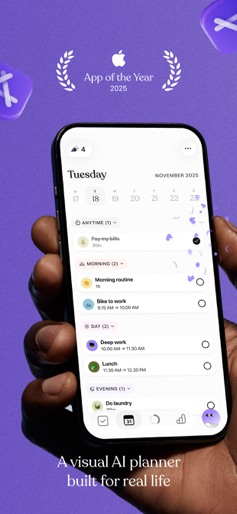
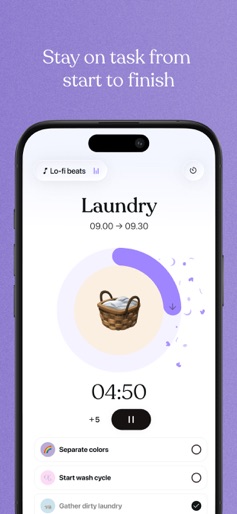
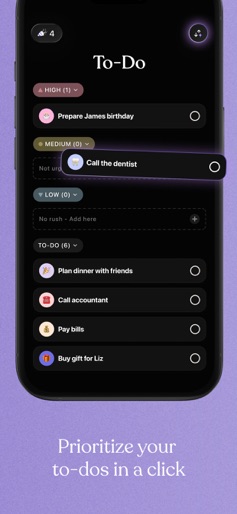
* iPhone App of the Year 2025 * Apple Design Awards Finalist 2024 * Best Assistive Technology 2022 (Neurodiversity Awards) * 3+ Million downloads worldwide Meet Tiimo: Your AI planning partner that simplifies executive function, focus and productivity. Whether you are building routines, navigating time agnosia, or just trying to make it through a busy week, Tiimo helps reduce mental load and makes it easier to follow through. Planning becomes something that supports you, not something that drains you. Join 1+ million users who trust Tiimo as their neurodivergent-friendly planner. KEY FEATURES AI Co-Planner: A personal planning assistant that supports you in creating, prioritizing and planning tasks that works for you, so you can focus on what matters. Visual Schedule Planner: Color-coded daily overview with easy drag-and-drop tasks. To-Do List: Brain dump your tasks, prioritize them in a click with the AI priority grouping. Focus Timer: A calming countdown to guide your time, and stay on track. Sync with Apple Calendar and Reminders: Keep all your schedules and plans in one place. Widgets: Your key tasks and timers always in view on your home or lock screen. Share up to 5 profiles with family SUPPORTING TOOLS Neuroinclusive Courses: Expert guides on productivity and habits Community Hub: Tips from neurodivergent teens and adults Personal insights: Stats that support your growth and helping you stay on task. USER TESTIMONIALS “Tiimo I love you- you’ve pretty much changed my life!! I didn’t think I could be organized. But this week, I completed 94 tasks. This app def deserves the five stars!" “I struggle with adhd and have tried multiple apps to help me focus. This has been the only one that has actually helped!” “This has kept me the most productive I’ve been in years. Worth every penny.” WHAT SETS US APART Co-designed with ADHD/Autism experts 100% ad-free forever Copenhagen-based team fighting for neurodivergent empowerment FREE TRIAL & PRICING Start your 7-day trial of Tiimo Pro ( only applies to the yearly subscription) for full features and access to our web version. Free version includes: Basic planner, limited AI chats, 1 profile. Auto-renewal can be canceled anytime via Apple settings.
Create screenshots like Tiimo: Productivity AI Planner
Use FlyerBanana's free editor to create professional App Store screenshots inspired by Tiimo: Productivity AI Planner's design. 100+ templates, device frames, and one-click export.










