
Top Widgets⁺ Icons & Themes
Chengdu Tiange Technology Co., Ltd
Create Screenshots Like Top Widgets⁺ Icons & ThemesApp Store Screenshots (10)




Design Analysis
Visual Design
App Insights
About Top Widgets⁺ Icons & Themes
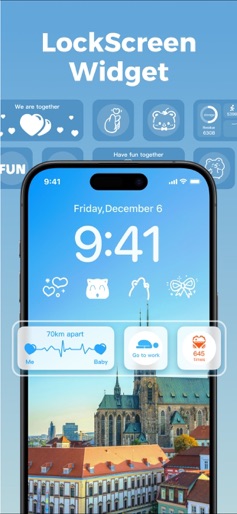
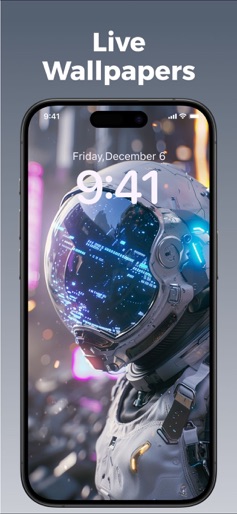
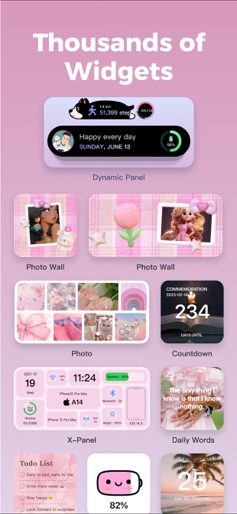
▶ Featured by the App Store ◀ ▶ Loved by Millions of Users ◀ ▶ The Top Choice for Personalization & Productivity ◀ TopWidgets⁺ brings an unprecedented home screen experience to OS 26. Powered by the latest system features, it introduces Liquid Glass visuals, 3D depth wallpapers, and customizable dynamic covers, creating a multi-dimensional, immersive interaction space. Every time you light up your screen, it’s not just functionality—it’s a visual and artistic celebration. With contributions from 5,000+ professional designers, new creative inspirations are continuously added. From depth effects to liquid lighting, from dynamic wallpapers to thematic aesthetics—TopWidgets⁺ transforms your home screen into a true expression of style, mood, and individuality. 【Immersive Visual Upgrades for OS 26】 Depth Wallpapers: Built with intelligent layering and dynamic interaction, seamlessly merging time and elements to create a vivid sense of depth and space. Liquid Glass Themes: Transparent, fluid, and crystal-like visuals where light and shadow intertwine, delivering a futuristic look and feel. Custom Dynamic Wallpapers: Freely adjust fonts, colors, and textures—every detail is uniquely yours. 【Key Features】 X-Panel: Real-time display of battery, storage, network, and more—efficient and stylish. Work Calendar: Record daily moods and mark emotional states—an essential for every busy professional. Mood Tracker: Instantly log your current mood on the home screen to stay in tune with your emotions. Today: Clearly view and manage daily tasks so nothing important gets overlooked. Quick Launch: One-tap access to your favorite apps and functions, boosting efficiency. Step Counter: Syncs with HealthKit to display real-time steps, calories, and activity records. Charging & Standby Effects: Fun charging animations and horizontal standby widgets that bring extra personality to your lock screen. DIY Home Screen: Customize fonts, colors, and backgrounds to create limitless styles. 【HealthKit】- TopWidgets⁺ has integrated with HealthKit to synchronize health data into the app. When you record daily step data in TopWidgets⁺, we will request HealthKit data permission to display exercise data in step-related widgets. 【Location Information】- When using the weather widget, we need to obtain location permission to display the required information for the current widget. 【Photo Permission】- When adding a background image to a widget, we need to obtain photo permission to upload the background image. This permission is also required when saving images to your phone. Privacy Policy: https://app.topwidgets.com/agreements/en/privacy.html User Agreement: https://app.topwidgets.com/agreements/en/UserAgreement.html
Create screenshots like Top Widgets⁺ Icons & Themes
Use FlyerBanana's free editor to create professional App Store screenshots inspired by Top Widgets⁺ Icons & Themes's design. 100+ templates, device frames, and one-click export.
More Graphics & Design Apps
View all
Canva: AI Photo & Video Editor
Graphics & Design


PicCollage: AI Photo Editor
Graphics & Design

Cricut Design Space
Graphics & Design

Photoshop Express Photo Editor
Graphics & Design


Themify - Widget & Icon Themes
Graphics & Design


FlipaClip: Create 2D Animation
Graphics & Design