

App Store Screenshots (8)



Design Analysis
Visual Design
App Insights
About Washington Post
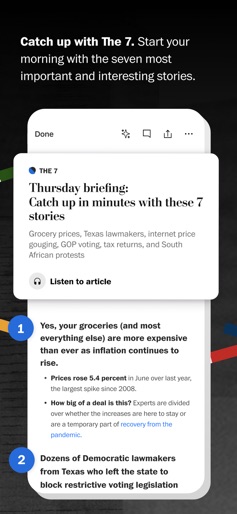
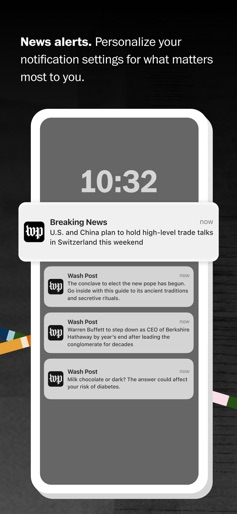
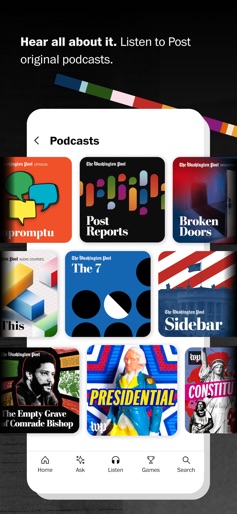
Get award-winning global reporting from The Washington Post. The app is free to download and keeps you informed with expert coverage from Post journalists. PRODUCT FEATURES • Stay informed with the 24/7 feed of today’s news. • Wake up with The 7, a better morning briefing on the day’s most important and interesting stories. • Customize your alerts to be the first to know when news is breaking. • Catch up with today’s stories by listening to original podcasts and audio articles. • Discover something new in My Post, a curated feed with recommendations just for you. • Dive deeper into Post journalism with innovative graphics, video, and augmented reality exclusives. SUBSCRIPTION DETAILS • Options: Download the free app and enjoy a limited number of complimentary stories each month. Get your first month of unlimited access for free, and only $11.99/month thereafter for your digital subscription. • Extras: Your subscription to The Washington Post lets you access The Post from all your devices, on the web and in the app. Premium subscribers also enjoy a bonus subscription to share and exclusive eBooks written by our journalists. • Payment: Payment will be charged to your iTunes account with the confirmation of your purchase. • Auto-renewal: Your subscription will auto-renew for $11.99 each month unless you cancel 24 hours before the end of the current subscription period. The auto-renewal can be turned off at any time in the Account Settings section of the App Store. Please note, you will be unable to cancel your current subscription during an active subscription period. • Free trial: Any unused portion of a free trial period, if offered, will be forfeited when the user purchases a subscription to that publication, where applicable. • Privacy policy: https://www.washingtonpost.com/privacy-policy/2011/11/18/gIQASIiaiN_story.html • App Privacy information displayed below applies to users on iOS 14.5 or higher • Terms of service: https://www.washingtonpost.com/terms-of-service/2011/11/18/gIQAldiYiN_story.html • CA notice of collection: https://www.washingtonpost.com/privacy-policy/2011/11/18/gIQASIiaiN_story.html#CALIFORNIA • Do not sell my info (CA residents): https://www.washingtonpost.com/my-post/privacy-settings/
Create screenshots like Washington Post
Use FlyerBanana's free editor to create professional App Store screenshots inspired by Washington Post's design. 100+ templates, device frames, and one-click export.










