

Where's My Seat?・Logic Puzzles
Smartmove Global Limited
Create Screenshots Like Where's My Seat?・Logic PuzzlesApp Store Screenshots (6)
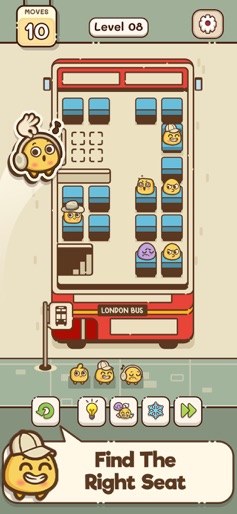



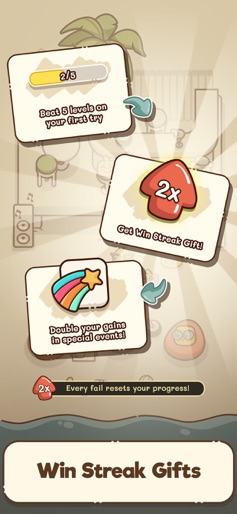

Design Analysis
Visual Design
Style: Custom
Key Features Shown
- •Move counter
- •Level progression
- •Hint/Power-up bar
- •Themed environments (Bus, Train, Diner, Park)
- •Win streak rewards
App Insights
Target: Casual puzzle gamers looking for 'cozy' aesthetics and logic-based mental stimulation, specifically fans of grid puzzles and organization games.
- •Ad-supported (interstitials/rewarded)
- •In-App Purchases (Remove Ads)
- •In-game currency/hints
- •Paywall for level access
ASO Keywords:
About Where's My Seat?・Logic Puzzles
Can you place everyone in the right spot? In Where’s My Seat?・Logic Puzzles, each level is a cozy brain teaser built around clues, seating arrangements, and adorable characters. If you love logic grid puzzle games and clever problem-solving games, this is a fun and challenging puzzle game that you can enjoy as a free IQ test for your brain with optional IQ-style reasoning checks woven into the flow at your own pace—easy to play, yet deeply satisfying. How it works Read each hint, enjoy gentle clue finding, and make the right seat pick that fits the rules. These are thoughtful seat puzzles—never mindless tapping, always deliberate logic. Start as a budding seat guru, and grow into a full seat matching master as every arrangement snaps into place with that satisfying “aha!” moment and a perfect fit. Why you’ll love it - Bite-sized levels for quick breaks when you’re bored - A tricky puzzle in every chapter, but fair and relaxing - A must-play for fans of logic deduction and gentle brain challenge - A quiet challenge match between your reasoning and the clues—don’t get outsmarted! - Designed for flow: simple, easy to play controls with a crazy challenge here and there It’s the kind of brain teaser you return to again and again—a relaxed, fun, and challenging puzzle game, where every stage is a little challenge match between your reasoning and the clues. Make the perfect seat pick, avoid being outsmarted, and enjoy the steady rhythm of problem-by-problem solving. Whether you’re winding down or chasing that last satisfying solution, this logic grid puzzles game is your go-to mix of comfort and cleverness. Ready to read the room, place the people, and prove your logic IQ? Settle in—your next favorite brain teaser is waiting. - Privacy Policy: https://www.smartmoveglobal.co/privacy - Terms of Use: https://www.smartmoveglobal.co/terms
Create screenshots like Where's My Seat?・Logic Puzzles
Use FlyerBanana's free editor to create professional App Store screenshots inspired by Where's My Seat?・Logic Puzzles's design. 100+ templates, device frames, and one-click export.










