

App Store Screenshots (3)

Design Analysis
Visual Design
App Insights
About Xiaomi Home
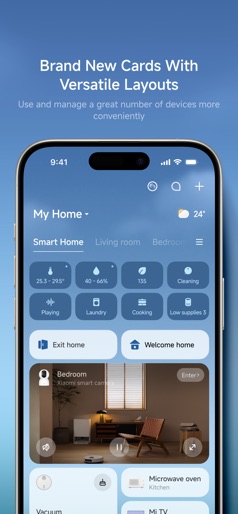
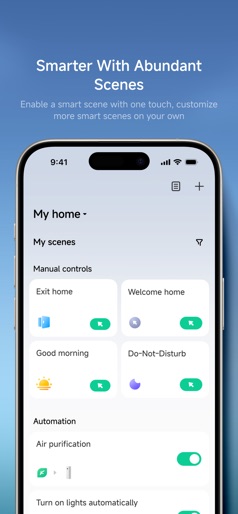
A professional app to help you manage your intelligent devices. • Add new devices with a few easy steps • Control your device wherever you are • Get the status of you devices in real time • Share your devices with friends and family members • Set up and perform intelligent tasks • Continued use of GPS running in the background can dramatically decrease battery life 【Mi Cloud Storage Automatic Renewal Service Description 】 - Renewal Service:7-day overwriting Renewal storage plan,30-day overwriting Renewal storage plan - Renewal period:one month - Renewal price: 7-day overwriting Renewal storage plan for 10 yuan/month, 30-day overwriting Renewal storage plan for 24 yuan/month - Payment: after confirming the subscription, your Apple ID account will be debited; - Cancel renewal:If you cancel the renewal, please manually turn off the automatic renewal function in the iTunes/AppleID settings management 24 hours before the current subscription period expires. Specific path:Please open the Apple mobile phone"settings"-->enter"iTunes store and AppStore"-->click"Apple ID",select"View Apple ID",enter the "Account Settings"page,click"subscribe",select Mi Cloud Storage unsubscribe. If you cancel within 24 hours before the expiration, the subscription fee will be charged; - Renewal: Apple ID account will be deducted within 24 hours before expiration. After the deduction is successful, the subscription period will be extended by one subscription period; - Mi Cloud Storage Automatic Renewal Service Agreement: https://camera.api.io.mi.com/cloud-service/app/doc/auto_renew-en.html, - Mi Cloud Storage User Agreement: https://camera.api.io.mi.com/cloud-service/app/doc/user_licence-en.html - About Cloud Storage Automatic Renewal: https://camera.api.io.mi.com/cloud-service/app/my_cloud.html?channel=iosinfo&locale=en#/renew - Terms of Use and User Agreement: https://g.home.mi.com/views/user-terms.html?locale=en&type=userLicense - Privacy Policy: https://g.home.mi.com/views/user-terms.html?locale=en&type=userPrivacy 【HealthKit】 - Your record after each weighing: BMI (body mass index), body fat percentage, weight, lean body mass will be shared to Apple Health.
Create screenshots like Xiaomi Home
Use FlyerBanana's free editor to create professional App Store screenshots inspired by Xiaomi Home's design. 100+ templates, device frames, and one-click export.











