

App Store Screenshots (8)


Design Analysis
Visual Design
Style: Hybrid
Key Features Shown
- •Fast Transfer History
- •Radar-style Nearby Discovery
- •QR Code Scanning
- •Zapya Transfer Web/Pro
- •In-app File Encryption
App Insights
Target: Users in emerging markets with limited cellular data and users needing cross-platform (iOS to Android/PC) file transfers.
- •Mobile Advertising
- •Premium Subscription (Zapya Transfer Pro mentioned in screenshots)
- •Data-free content distribution
ASO Keywords:
About Zapya - File Transfer, Share
File sharing has never been simpler! Without the need of a cable or cellular data, you can share files from device to device for free with Zapya. Zapya allows you to seamlessly transfer massive files across multiple platforms with speeds up to 10MB/second or up to 260 pictures in a minute. Looking to quickly connect with someone nearby? With the support of GPS location, Zapya provides a fast and accurate way to find nearby devices. You can also shake your devices at the same time in order to connect. Zapya can support USB Backup and Restore on iPad. Another way to connect on Zapya is via QR Codes. You can generate a personalized QR code in order to share multiple files at once. Others just need to scan the QR code to have the files to instantly start downloading onto their phone. Without touching your keyboard, you can share files to others! If you have important files on your device that you do not want others to have access to, you can select and lock those files into a hidden folder. By doing this, the next time you go to share files with someone; they will not be able to see or access those files. Besides sharing files, you can chat offline with up to five other devices using Zapya. You can also move the phone log and photos from your old device to your new phone in a matter of minutes. Or if you want to take photos remotely, you can use the PeerCam feature and control the camera of a connected device with peer permission. If you like Zapya, please give us reviews and high ratings. Your support is much appreciated! If you experience any issues or have any suggestions, please send feedback to us within the app or contact: feedback@dewmobile.net. Disclaimer: This app may use your location even when it is not open, which can decrease device battery life.
Create screenshots like Zapya - File Transfer, Share
Use FlyerBanana's free editor to create professional App Store screenshots inspired by Zapya - File Transfer, Share's design. 100+ templates, device frames, and one-click export.
More File Management Apps
View all

Dumpster: Photo/Video Recovery
File Management


ShareKaro Lite: File Share App
File Management


SHAREit: Transfer, Share Files
File Management
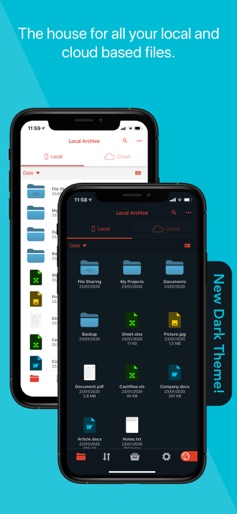

Amerigo File Manager
File Management

All Recovery - Photos, Videos
File Management


Xender - Share Music Transfer
File Management